
Another short presentation to my local camera club. This item was on activating, reading and responding to the histogram.
Category: Tools

A Focus on Autofocus
One of the greatest advancements in photography has been the invention of autofocus. Simply by pointing your camera at a subject and pressing the shutter halfway, the camera will not only meter the ambient light, but bring the main subject into sharp focus.
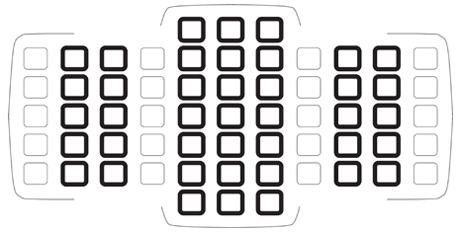 As with most things photographic, there is theory and there is practice and sometimes the two don’t mesh exactly. Here’s what I’ve learned about autofocus. Continue reading “A Focus on Autofocus”
File Storage Options – What You Need to Know
 The start of a new year. Time to consider shaping up – not only personally but maybe for your photography workflow. How can you do things better? At the very least, you’ve probably accumulated a huge amout of content this year. Are you running out of storage space? And are you safeguarding your work appropriately?
Managing and safeguarding your photographs is a personal decision with lots of options. Built-in computer hard drives are bigger and faster every year. But there’s also detachable hard drives and network hard drives and online storage. How do you choose the right combination?
I’ve used mixtures of all of the above over the years, and currently assign files to different storage options based on importance and where they are in my workflow. I also need a clean, easy way to organize my content – client files here, personal files there.
With image volumes increasing, I recently looked into just how well these options are working for me, and here’s what I discovered. One disclaimer: these options may not be right for you. It’s about what you feel comfortable with and what you are willing to spend. Continue reading “File Storage Options – What You Need to Know”
Being in Control
It’s one of the ironies of photography that we spend ever increasing amounts of money to purchase better and better cameras and lenses, acquiring more and more automatic features to aid us in getting the best images possible.
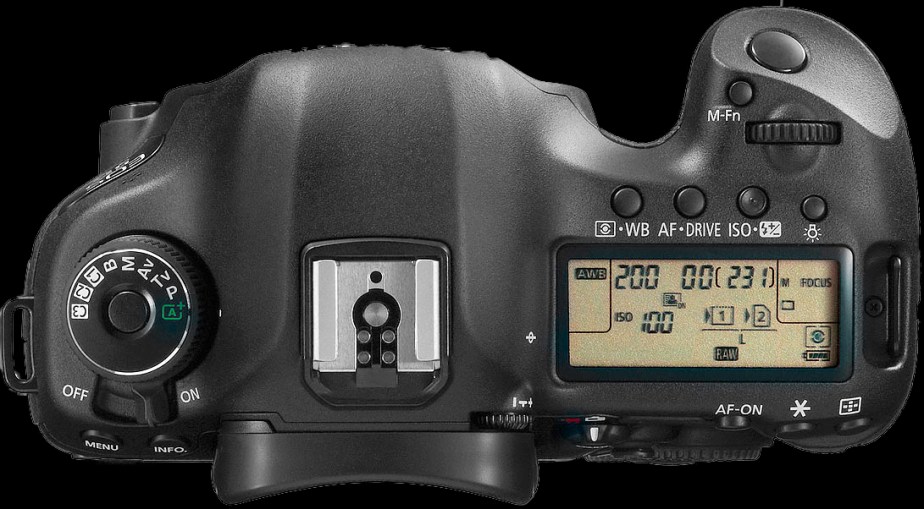 And then what do we do? We turn everything off and shoot completely manually, because “that’s what pros do”. Think about that for a minute. Does that make sense to you? Give your head a shake.
I recently had a moment shooting an event where I had to do just that. Then I did a little experiment to find out just what I was missing by doing all the work myself. Read on for the results.
Getting Good Bokeh
Another short presentation to my local photography club. Last time I spoke, it was about preventing blurry photographs. This time, it’s about deliberately blurring the background to make the subject stand out. Continue reading “Getting Good Bokeh”
To Watermark or Not to Watermark – That is the Question
Many of my peers in hobbyist photography “watermark” their photographs, both on their websites and certainly on any social media or group sharing sites. And yet many of the pro photographers I follow don’t do this, even though they arguably have more of a reason for doing so.
 A watermark is an identifier that sits overtop of some portion of the image. It is usually semi-transparent. The identifier could be the photographer’s name, their business name, or a combination of both. A copyright symbol and year might also be included. These labels might be simple white text or more elaborate logos and fonts. They are most often placed in a corner of the image, but sometimes can occupy more central space. Text sizes vary, but most are unobtrusive, aiming not to interfere with proper viewing of the image.
Why do photographers use them? It seems there are two main reasons: to guard against theft and to advertise their work. Let’s examine each of those purposes. Continue reading “To Watermark or Not to Watermark – That is the Question”
Seriously Adobe?
A few days ago, Adobe launched its latest versions of Lightroom and Photoshop. Strangely, this was done with little fanfare, and came as a complete surprise to me when I first saw the updates.
 It’s been a long standing complaint that Adobe Lightroom is frustratingly slow to load and display images, particularly previews on import or previews when switching from Library to Develop. Adobe promised to deal with this issue, going so far as to release a statement from photography product manager, Tom Hogarty in July. The statement acknowledged user concerns and committed Adobe to working harder to address them.
I guess this week they delivered, but not in any way that anyone expected. Far from being pleased, many users are puzzled and even angry at what the latest releases imply. Continue reading “Seriously Adobe?”
Why Are My Photos Blurry?
Something a bit different for today’s post. I gave a short presentation at my local camera club today to answer a question on why photos taken by club members are sometimes blurry. You might find some of this information useful. Continue reading “Why Are My Photos Blurry?”
The Myth of Fast Lenses
Since I took up photography full-time 3 years ago, I’m much more informed about equipment and techniques. There are some well-rehearsed lines in this industry: photography is about shaping the light; remember to work the shot; don’t take pictures – make pictures. And on and on.
Many of those tomes are also around gear – usually put out by manufacturers I think. As an example, fast lenses (those with a maximum aperture of f/2.8 or larger) are always better than other lenses. Better for low light capture, better for managing depth of field, better for autofocus performance. Always buy the fastest lens you can afford.
 Whenever I venture to purchase a new lens, I’m typically presented with the fastest lens first – the advanced option. But the more I’ve shot, the more I’ve come to question this equipment mantra. Most of the time, you DON’T need the fastest lens. Here’s why. Continue reading “The Myth of Fast Lenses”
Tools That Make Macro Photography Easier – Helicon Focus Pro and CamRanger
Spring has sprung. New life all around us, providing a wealth of photographic subjects. Perfect for macro photography. Macro photography reveals the smallest of these subjects, from tiny lichens to the wing details of insects to the inner sculpture of a summer bloom.
 Macro photography requires only one unique piece of equipment: a lens that can focus within a tiny distance of the subject, resulting in an image that is the same size on the camera sensor as the subject is in real life. But macro lenses have an amazingly small depth of field, almost guaranteeing that some part of the image will be out of focus. What’s a photographer to do? Continue reading “Tools That Make Macro Photography Easier – Helicon Focus Pro and CamRanger”
 oldgirlphotography.ca